When Your Spreadsheet Stops Working as a CRM
 Marcus Webb
7 min read
Marcus Webb
7 min read
For about three years I ran a sales pipeline out of a Google Sheet. It worked. Columns for company, contact, stage, next action, next action date. Conditional formatting turned a row amber when the follow-up date passed. I could see the whole quarter on one screen, and I could change how the whole thing worked in about four minutes.
What killed it was not size. The sheet never got anywhere near a limit. It died the week a deal went cold because two of us were each looking at a different copy of the file, both of us assumed the other had sent the proposal, and neither of us had.
That is the pattern I have watched play out in a dozen teams since. Spreadsheets do not fail because they run out of rows. They fail at a specific, predictable moment, and knowing which moment saves you from both mistakes: moving too late, and moving far too early.
Spreadsheets Are Genuinely Good at This
I want to defend the spreadsheet before I bury it, because a lot of CRM advice is written by people selling CRMs.
A sheet has properties that no CRM matches. You can restructure it instantly — add a column, rename a stage, change the logic, no admin permissions, no config screen, no support ticket. Everyone already knows how to use it. It costs nothing on top of a subscription you already pay for. And you can see everything at once, which is a real advantage when your entire pipeline is twenty deals.
If you are one person selling a handful of things a month, a CRM does not make you better at that. It makes you a person who maintains a CRM. I have seen a two-person consultancy spend the better part of a month configuring deal stages and custom properties for a pipeline that had eleven live opportunities in it. The spreadsheet they replaced was doing the job.
The question is never whether a CRM is more powerful than a spreadsheet. It obviously is. The question is whether you have hit the problem a CRM solves — and until you have, that power is just overhead you pay for in setup time and attention.
The Limits You Will Never Reach
When people ask me when a spreadsheet becomes too small, they are usually thinking about the technical ceiling. It is worth knowing how far away that ceiling is, because it removes it from the conversation entirely.
Google Sheets allows up to 10 million cells or 18,278 columns per spreadsheet. Excel gives you 1,048,576 rows by 16,384 columns per worksheet. At twenty columns per contact record, the Sheets ceiling is somewhere around half a million contacts.
No small team is hitting that. If your pipeline is 400 deals, you are using 0.1% of the space available to you. So when your spreadsheet starts hurting — and it will — the cause is not capacity. It is one of four things, and none of them have a technical fix.
The Four Failures That Show Up Every Time
These arrive in roughly this order, and each one is a stronger signal than the last.
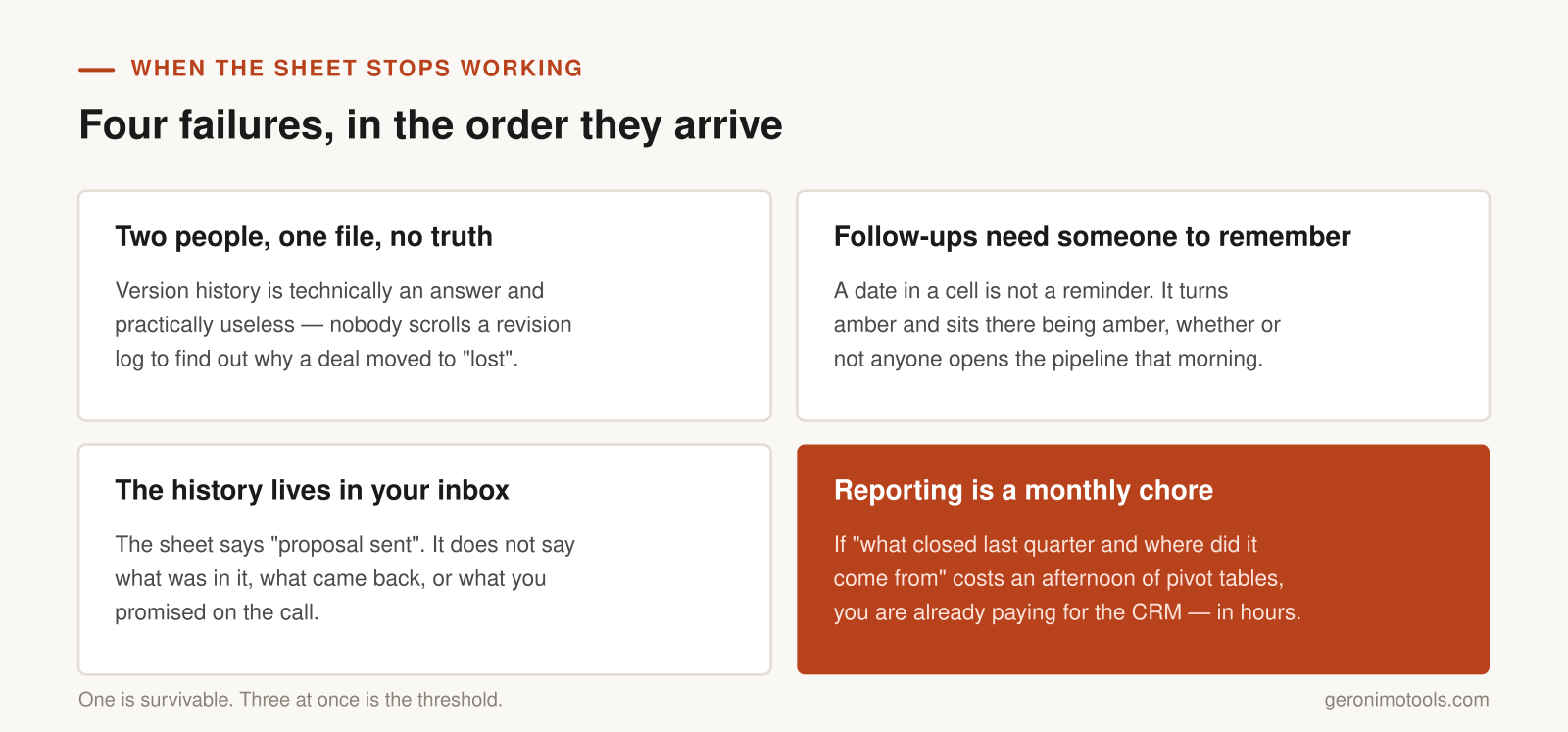
- Two people, one file, no truth. The moment a second person edits the pipeline, you need to know who changed what and when. Sheets gives you version history, which is technically an answer and practically useless — nobody scrolls a revision log to find out why a deal moved to “lost”. This is the failure that cost me a real deal, and it is the most common trigger I see.
- Follow-ups depend on someone remembering. A date in a cell is not a reminder. It turns amber and sits there being amber. A CRM will put that task in front of the person who owns it, on the day, without anyone opening the pipeline first. When you find yourself building a “check this every Monday” habit to compensate, you have outgrown the tool.
- The history lives in your inbox. The sheet says the deal is at “proposal sent”. It does not say what was in the proposal, what objection came back, or what you promised on the call. That context is scattered across email, Slack and someone’s notebook, and it becomes unrecoverable the moment that someone is on holiday or leaves.
- Reporting has become a monthly chore. If answering “what did we close last quarter and where did it come from” means an afternoon of pivot tables and manual cleanup, you are paying for the CRM already — in your own hours, at a worse exchange rate.
One of these is survivable. I would fix the follow-up problem with a calendar and get on with my life. Three at once means the spreadsheet is now costing more than it saves, and that is the threshold worth acting on.
The Subscription Is the Cheapest Part
The trap on the other side is assuming the switch costs whatever the pricing page says. It never does.
Migration is real work: cleaning the data before it goes in, deciding which of your seventeen ad-hoc stages actually exist, and rebuilding the reports you had. Then comes the part that decides the whole thing — every person who touched the sheet has to update the CRM instead, every day, without being chased. A CRM that half the team ignores is worse than a spreadsheet everyone uses, because now the truth is split across two systems and you trust neither.
This is the same maintenance cost I keep coming back to in build versus buy decisions: the sticker price is the small number. If you are already carrying tools nobody logs into, run a proper tool audit before you add another seat cost to the pile.
Clean the Data Before It Goes Anywhere
Whatever is wrong with your spreadsheet will be wrong in the CRM too, except harder to fix, because now it is spread across records instead of sitting in one grid you can sort. An hour of cleanup before the import saves a week of confusion after it.
Three things are worth checking in every pipeline sheet I have migrated. The first is duplicate companies under slightly different names — “Acme”, “Acme Ltd”, “ACME Limited” become three separate records the moment they cross over, and merging them later is tedious in a way sorting a column never was.
The second is your stage list. Most sheets accumulate stages that are not stages: “waiting on legal”, “chasing”, “gone quiet”. Those describe how a deal feels, not where it sits in a process, and if you recreate all of them you end up with a pipeline nobody can report on. Decide which four or five stages represent real, ordered steps a deal moves through, and map everything else onto them.
The third is ownership. A shared sheet tolerates blank owner cells because whoever opens it knows who is handling what. A CRM does not — an unowned deal gets no tasks, no reminders and no accountability, which is the entire reason you are moving.
Move the Pipeline, Leave the Rest
The migrations that work are narrow. The ones that stall are the ones where someone decides that since the team is moving anyway, this is the moment to also fix lead scoring, marketing email, the quoting process and reporting.
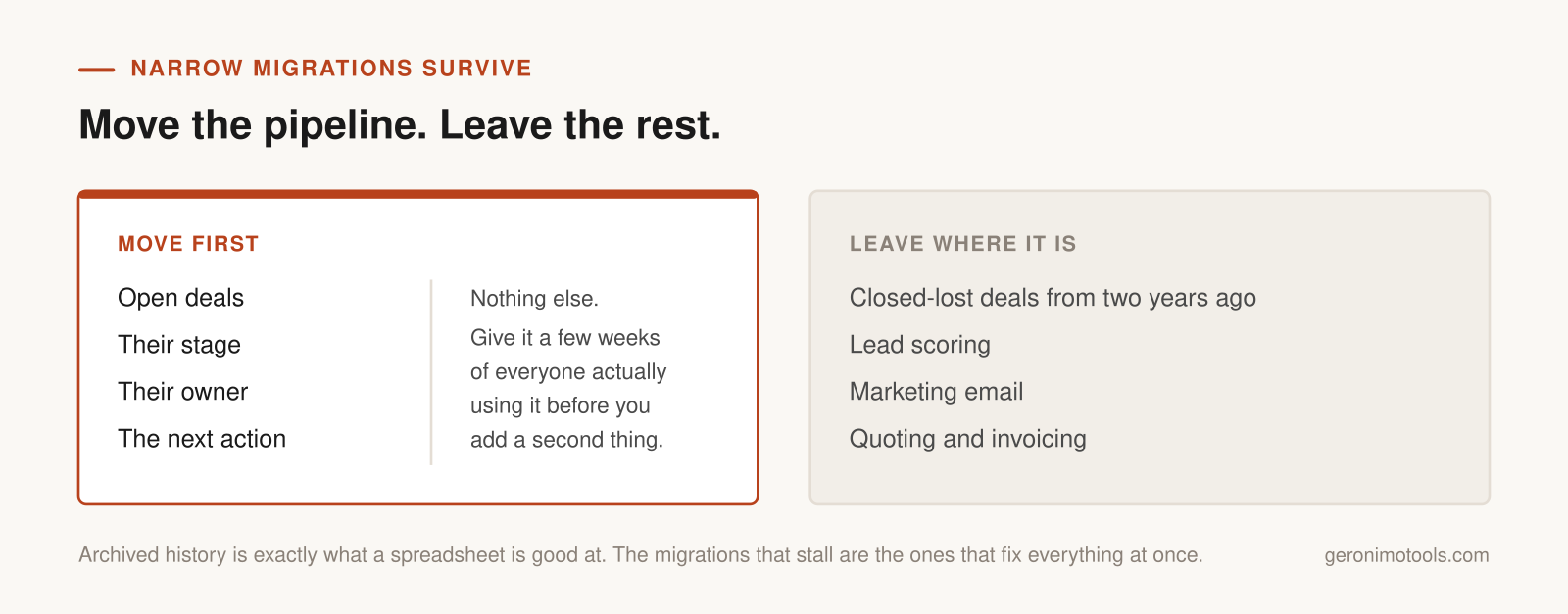
Move the live pipeline first — open deals, their stage, their owner, their next action. Nothing else. Closed-lost deals from two years ago can stay in the sheet forever; archived history is exactly what a spreadsheet is good at. Give it a few weeks of everyone actually using the thing before adding anything on top. If adoption holds, layer in the next piece. If it does not, you have learned that cheaply, and rolling back is still possible.
Free tiers make this easy to test without a procurement conversation, though they come with edges worth reading first — I went through what the free HubSpot tier really includes and where it quietly stops in this breakdown of its free CRM. The specific product matters less than the discipline of moving one workflow at a time.
What I Would Do This Week
Open your pipeline sheet and check it against the four failures. Count how many are true right now, honestly, not how many you have decided to live with.
If it is one, fix that one thing where it stands — a shared calendar for follow-ups, a locked column, a weekly review. If it is three or more, pick a free tier, move only your open deals into it, and give it a month with the sheet kept read-only alongside as a safety net. The decision gets much easier once the pipeline is somewhere both of you can see the same version of it.